password-managers
7 Best Privacy-Focused Password Managers With Hardware Security Key Support in 2026
Why Hardware Keys Matter for Password Manager Security
Password managers are only useful if they're actually secure. While software-based authentication works for most people, the combination of a password manager with hardware security key support creates a setup that's genuinely resistant to phishing and account takeover. Hardware keys eliminate the weakest link in most password manager setups: the master password itself.
Privacy is equally critical. Too many password managers promise security while building business models around user data. We focused on products that either use zero-knowledge encryption, publish their source code for audit, offer fully local storage options, or have transparent privacy policies. Hardware key support was non-negotiable—your backup authentication shouldn't be any less secure than your primary one.
We evaluated seven password managers across security architecture, privacy practices, hardware key support (FIDO2/U2F standards), cross-platform availability, and value. All seven support at least one major hardware key standard and offer either open-source code or transparent encryption practices.
The Products
Bitwarden

Bitwarden is the closest thing to a no-compromise password manager. The entire source code is public, audited by third parties, and the encryption happens on your device—Bitwarden never sees your passwords even during sync. Hardware key support works seamlessly across Windows, macOS, Linux, iOS, and Android through standard FIDO2 protocols.
What makes Bitwarden stand out is the self-hosting option. You can run your own Bitwarden server on your infrastructure, which means your vault never touches Bitwarden's servers at all. Even on the cloud version, the zero-knowledge architecture means the company literally cannot access your data. The free tier is genuinely unlimited—unlimited passwords, unlimited syncing, unlimited devices—you only pay if you want advanced features like Bitwarden Authenticator or emergency contact access.
The interface is straightforward without being boring. Password generation is configurable, organization sharing works well for families or small teams, and browser extensions are stable. If you're technically inclined, Bitwarden's APIs let you build automation around your vault.
- Open-source code, independently audited for security vulnerabilities
- Zero-knowledge encryption—Bitwarden cannot access your passwords even if breached
- Self-hosting option available for maximum control over infrastructure
- Hardware key support across all platforms including mobile
- Free tier includes unlimited passwords and syncing across unlimited devices
- Premium tier ($10/year) is cheap but needed for some convenience features
- Organization management could be more intuitive for team collaboration
Best for: Privacy-conscious users who want auditable code and the option to self-host.
1Password

1Password occupies the middle ground between consumer simplicity and serious security. The company pioneered transparent security practices in the password manager space—they publish their threat model, security whitepaper, and bring in external auditors regularly. The 2023 acquisition by EQT didn't change the encryption architecture; passwords remain end-to-end encrypted with keys you control.
Hardware key support is first-class here. 1Password integrates with YubiKeys, Titan keys, and other FIDO2 devices as either your second factor or as a complete replacement for your master password. The latest version supports Passkeys, which means you can eliminate passwords entirely if you trust your hardware key and device security.
The user experience is noticeably polished. The browser extension is responsive, the iOS app is actually full-featured (not a crippled mobile version), and design details like inline password strength indicators and breach notification alerts work reliably. Sharing items with family members is straightforward. Pricing is straightforward too: one fee covers unlimited devices and users.
- Hardware key can replace your master password entirely if you choose
- Supports Passkeys for true passwordless authentication
- Consistent experience across Windows, macOS, Linux, iOS, and Android
- Family plan covers five people for one price
- Active breach monitoring alerts you to compromised credentials
- Closed-source, so you must trust 1Password's audit reports rather than reviewing code yourself
- Annual subscription at $60-100 depending on plan is more expensive than competitors
Best for: Families and non-technical users who want enterprise-grade security without the complexity.
Dashlane

Dashlane approaches password management from a threat prevention angle. While other managers focus on secure storage, Dashlane includes built-in breach monitoring, dark web scanning, and identity theft protection in the core product. Hardware key support is solid, and the overall security architecture is genuinely strong with zero-knowledge encryption across the board.
The feature set is expansive. Password generation includes character-by-character customization, there's a VPN included with premium plans, identity theft protection monitors your credit file, and secure file storage gives you 1GB of space for documents. The browser extension is intelligent—it identifies login forms accurately and fills them securely. The mobile apps sync instantly and handle autofill smoothly.
Where Dashlane differs from competitors is in the premium-first philosophy. The free plan is essentially a trial—you get basic password storage but lose most features after 30 days. Premium starts at $99/year or $9.99/month, which is expensive compared to 1Password's flat $60-100 fee, but the bundled VPN and identity monitoring add genuine value if you use those features.
- Zero-knowledge encryption with transparent architecture
- Included VPN and identity theft protection in premium plans
- Dark web monitoring alerts you to compromised accounts
- Smooth autofill experience across browsers and mobile
- Hardware key support across all major platforms
- Free tier is intentionally limited and expires after 30 days
- Overall pricing is higher than single-purpose password managers
Best for: Users who want identity protection and VPN bundled with their password manager.
KeePassXC
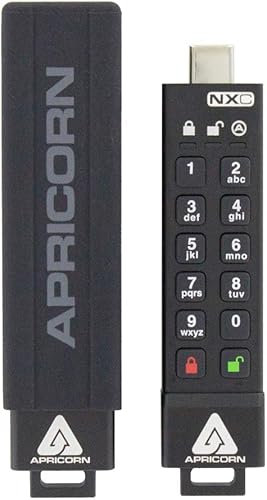
KeePassXC is the local-first, open-source option. Your password database lives in a file on your computer that you control completely. There are no servers involved unless you choose to add them—you can sync your database across devices using Dropbox, Nextcloud, or any file sync service. This fundamental architecture means KeePassXC cannot suffer a server breach because there is no server.
Hardware key support is available through plugins and integrations rather than built-in functionality. YubiKey integration exists through configuration, though it's not as seamless as commercial options. The learning curve is slightly steeper—you need to understand file synchronization, backups, and what a database file is.
The interface is functional rather than beautiful, but it's comprehensible once you understand the basic concepts. You create a master database, add a password entry for each account, and optionally add a hardware key as an unlock requirement. The password generator is powerful, the autofill browser extension works reliably, and version history lets you recover accidentally deleted entries.
- Completely open-source with active community review of security
- Your passwords exist as a file you control—no sync service required
- One-time purchase model, no subscriptions or cloud accounts
- Hardware key support available through YubiKey integration
- Can be used offline permanently if that's your preference
- Hardware key integration requires configuration rather than one-click setup
- Synchronization across devices is manual or requires setting up your own cloud sync
Best for: Users who prefer owning their data completely and are comfortable managing files manually.
Proton Pass

Proton Pass is built by Proton, the company behind Proton Mail. The same privacy principles apply: end-to-end encrypted, zero-access architecture, and open-source code available for review. Hardware key support includes FIDO2 for master password protection and works across web, Windows, macOS, Linux, iOS, and Android.
The product is intentionally simple. You get password management, login autofill, and address/payment information storage. There's no VPN bundled, no dark web monitoring—Proton kept scope tight to do password management excellently. The integration with Proton Mail means you can generate Hide My Email aliases directly from password fields, which is genuinely useful for privacy.
Pricing is competitive. The free tier includes basic password management, and unlimited vaults unlock at the paid tier. If you're already paying for Proton Mail or Proton VPN, Proton Pass adds value without duplication. The synchronization is fast, the browser extension doesn't feel bloated, and the mobile apps are responsive.
- Open-source code with regular security audits published publicly
- Zero-knowledge encryption means Proton cannot access your passwords
- Hide My Email integration creates privacy-focused email aliases
- Hardware key support for master password protection
- Works seamlessly with other Proton services if you use them
- Feature set is intentionally minimal compared to Dashlane or 1Password
- Free tier is limited; meaningful use requires premium
Best for: Proton ecosystem users and privacy advocates who prioritize simplicity over feature breadth.
Enpass

Enpass takes a hybrid approach to privacy: you can store your vault locally on your device, sync it through your own cloud service, or use Enpass's encrypted cloud. This flexibility appeals to users who want options without being forced into a particular architecture. The local-first option means you can use Enpass entirely offline if you choose.
Hardware key support is built-in for FIDO2 devices, and the encryption uses strong standards with detailed documentation. The software is closed-source but has undergone third-party security audits. Enpass works across Windows, macOS, Linux, iOS, and Android with consistent feature parity—the mobile apps aren't limited versions.
The one-time purchase model ($10-20 depending on platform) eliminates subscription fatigue. You buy it once, own it, and get updates for years. This resonates with privacy-conscious users who distrust recurring billing relationships. The interface is polished without being cluttered, the password generator is flexible, and browser extensions handle autofill competently.
- True hybrid architecture: store locally, in Enpass cloud, or via personal cloud service
- One-time purchase eliminates ongoing subscription costs
- Hardware key support for master password
- Strong encryption with independent security audits
- Full-featured mobile apps, not stripped-down versions
- Closed-source means you're trusting Enpass's practices rather than reviewing code directly
- Cloud sync is less seamless than subscription-based competitors
Best for: Users who want to own their password manager outright and choose their own storage method.
Strongbox

Strongbox is purpose-built for Apple users who refuse to compromise on privacy. It's open-source, stores everything locally on your device, and uses the KeePass database format so you're not locked in. iOS and macOS versions maintain full feature parity—you're not getting a crippled mobile experience. Hardware key support works through NFC on iOS or USB on macOS.
The philosophy is ruthless privacy: no syncing, no cloud, no tracking. If you want data on multiple devices, you sync it yourself through iCloud Files, Nextcloud, or any file service. This requires understanding what you're doing, but it means no company between you and your passwords. The interface is native to iOS and macOS—button placement and animations follow platform conventions.
Strongbox is paid ($2.99 on iOS, $24.99 on macOS as a one-time purchase), but there are no subscriptions and no limits. Password vaults are unlimited, encryption is unrestricted, and hardware key support doesn't unlock behind premium tiers. The community is small but engaged, and the developer is responsive to issues.
- Open-source code, fully auditable by anyone with iOS/macOS development knowledge
- Completely offline—your vault never touches cloud servers unless you explicitly sync it
- Hardware key support via NFC on iPhone and USB on Mac
- Native iOS and macOS interfaces that don't feel like web apps
- One-time purchase, permanent ownership, no subscriptions
- Limited to iOS and macOS—no Windows or Android support
- Manual syncing across devices requires setting up file sharing yourself
Best for: Apple-only users who demand total privacy and understand file synchronization.
Final Verdict
If you want a password manager that works everywhere with minimal setup, choose Bitwarden—open-source, free, and genuinely secure. If you have money to spend and prefer a polished experience with a major company backing your security, 1Password is worth every penny. For Apple users specifically, Strongbox is the privacy pick. Everyone else should evaluate based on their specific tradeoffs: local storage, open-source code, bundled features, or ecosystem integration. All seven of these managers are genuinely secure with hardware key support. The difference is philosophy and user experience, not security strength.